License: Personal Use Rights
Terms: PU
Size: 273.09 MB
Estimated product value:
Price: 3.90

Looks like you haven't made a choice yet.
This product is available for free members.
This product is only available for download to gold members - check all the benefits of our gold membership on the pricing page. You can still preview the product even as a free member.
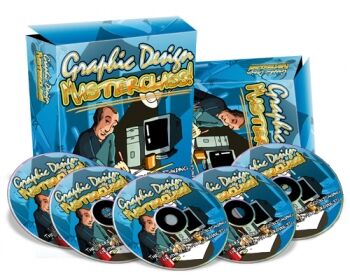
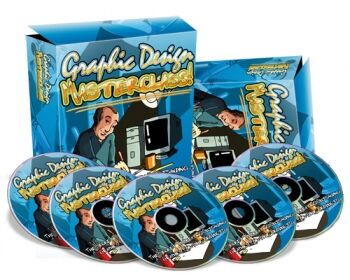
Boost your product image effortlessly with the Graphic Design Masterclass video series. Learn to create professional minisites and e-Covers using Adobe Photoshop, Macromedia, and GIMP.
Finally, a 'Fun and Easy' way to enhance your product imagery without hiring graphic designers! Elevate your subscriber rate and sales conversions by as much as 300%!
In the Graphic Design Masterclass video series, you will learn to create simple yet professional-looking minisites and virtual covers using Adobe Photoshop, Macromedia, and GIMP (a free tool), even if you have no prior experience with art creation.
Video Series 1: Adobe Photoshop For Newbies (8-Part Video Course)
Adobe Photoshop can be a complex tool due to its vast capabilities. However, in this video series, we'll make it as simple as possible. An overview of the key tools and Adobe Photoshop features we will use is provided. Learn how to do a lot with just a few features, setting the stage for deeper learning in future videos.
Professional photography is a must for great designs. This video teaches the importance of using royalty-free images and how to find them to meet your needs.
The Adobe Photoshop lasso and crop tools let you extract people and objects from pictures and incorporate them into your designs. Learn how to use these tools correctly to enhance your creations.
Layers are vital in bringing photos to life. In Photoshop, layers allow you to merge several photos to make them appear as a single image. This video demonstrates how to use layers to streamline your design process and save time.
Good design balances headers, footers, and e-covers correctly, making them look 'right'. This video covers techniques for balancing your designs to ensure they are visually appealing.
Build professional minisite headers using the tools and concepts learned in the previous videos. Apply these skills to various design projects beyond just minisites.
Learn to transfer the header you created into an e-book or DVD e-cover. This video guides you through easily transitioning your designs to different formats.
Video Series 2: Create Your Own eCover Graphics! (8-Part Video Series)
Video Series 3: How to Create Web 2.0 Graphics Using GIMP! (7-Part Video Course)
GIMP, a free software akin to Adobe Photoshop, is easy to use. This video shows you where to download GIMP and how to install it.
Familiarize yourself with the features and tools of GIMP, essential for efficient use in future videos.
Learn to create dynamic, shiny buttons that are currently trending in graphic design.
Create realistic reflections and shadows to make your images appear lifelike, using GIMP's features.
Create professional-looking shiny badges for sales pages by manipulating GIMP's shapes.
Learn to make text logos with a shiny gradient look and a reflection, making them stand out with a modern design.
Combine all your learned skills to create an eye-catching Web 2.0 header with stripes. These headers can be used for sales pages or any other landing pages.